The Ultimate Guide to Content Repurposing for Modern Creators
Executive Summary
Slicing massive long-form media into platform-native, bite-sized assets shouldn't require hours of scrubbing timelines or waiting for risky cloud uploads. A modern workflow leverages automation directly on your machine to extract clips, high-resolution thumbnails, and accurate captions instantly, keeping your unreleased content perfectly secure.
The Repurposing Engine: Working Smarter
Turning a single hero piece of content—like a two-hour podcast, a documentary, or a livestream—into dozens of smaller assets is the cornerstone of modern audience growth. Instead of simply copying and pasting the exact same wide-angle clip across every platform, true repurposing means adapting the media natively. This requires precision slicing, proper aspect ratio reframing, and the addition of baked-in captions to ensure the content thrives in environments where audiences watch without sound.
The Friction of Traditional Slicing
For most creators, the actual act of repurposing is a major bottleneck. Importing a massive 5GB 4K video file into a heavy desktop editor just to hunt down a 15-second soundbite is incredibly inefficient. It bogs down your computer's memory and turns a simple extraction task into a heavy production chore.
The alternative is often worse: attempting to upload that same massive file to a web-based editor. This requires waiting hours for the upload to complete, hoping the browser doesn't crash, and trusting that your exclusive content is safe on a remote server. When creative momentum is critical, these traditional methods kill productivity.
Core Repurposing Workflows
A high-performance repurposing strategy relies on specific, rapid actions that happen before the final editing stage. By utilizing targeted browser utilities, you can skip the software bloat and get straight to the assets you need:
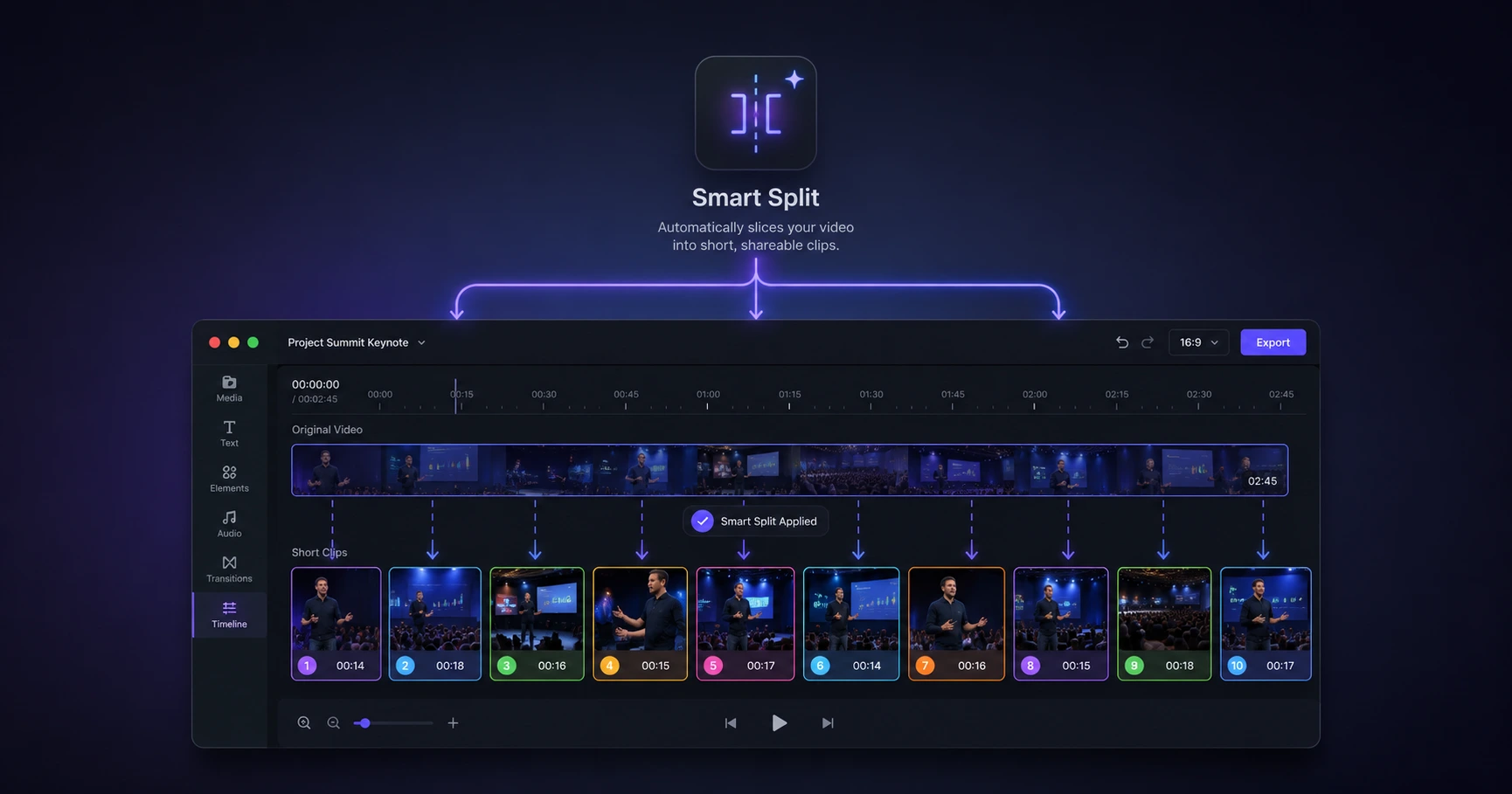
- Automated Scene Splitting: Ditch the manual timeline scrub. Smart tools can instantly detect camera cuts or scene changes, automatically splitting a massive podcast into individual, manageable clips.
- Captions for Silent Scrolling: With the vast majority of social feeds consumed on mute, hardcoded subtitles are no longer optional. Generating and baking these captions into the video file directly on your machine ensures accuracy without exposing your audio to third-party APIs.
- High-Fidelity Extractions: Pausing a video player to take a standard screenshot results in a compressed, blurry image. Grabbing click-worthy YouTube thumbnails requires extracting the exact, uncompressed frame directly from the raw footage to maintain its native resolution.
The Speed of On-Device Processing
The biggest breakthrough in modern media workflows is the ability to bypass the cloud entirely. When you drop a heavy video file into a capable browser-based utility, it shouldn't have to upload anywhere. By harnessing the processing power already built into your computer, extractions and conversions happen instantly.
This approach delivers two massive benefits: zero wait times for uploads or downloads, and absolute privacy. Your raw footage, private interviews, and unreleased content never leave your device, ensuring total security while you format and prep your assets at lightning speed.
Explore the Content Repurposing Cluster
The Ultimate Guide to Content Repurposing for Modern Creators
Slicing massive long-form media into platform-native, bite-sized assets shouldn't require hours of scrubbing timelines or waiting for risky cloud uploads.

Format your videos instantly
Prep and standardize your clips before they hit the editing timeline. Reframe, crop, split, and compress your footage directly in your browser with absolute privacy and zero watermarks.
Related Questions
What is the most effective way to repurpose long-form video?
The most effective way to repurpose long-form video is to adapt it natively for each platform, such as extracting vertical clips for short-form feeds and hardcoding subtitles for silent viewing. Utilizing a fast, on-device utility suite allows you to perform these extractions instantly without loading up a bulky desktop editor.
How can I extract clips from a large video file quickly?
The fastest way to extract clips from a large file is to process the video directly on your device rather than uploading it to the cloud. Browser-based tools that handle the file locally completely eliminate upload and download times, letting you split scenes and pull assets from gigabyte-heavy files immediately.