The Ultimate Guide to Video Formatting and Reframing for Creators
Executive Summary
Formatting raw landscape video for vertical platforms requires adapting the aspect ratio without sacrificing visual quality or subject focus. A modern workflow eliminates the friction of heavy desktop editors and risky cloud uploaders by processing clips directly on the device, ensuring lightning-fast exports and absolute privacy.
The Shift to Vertical-First Content
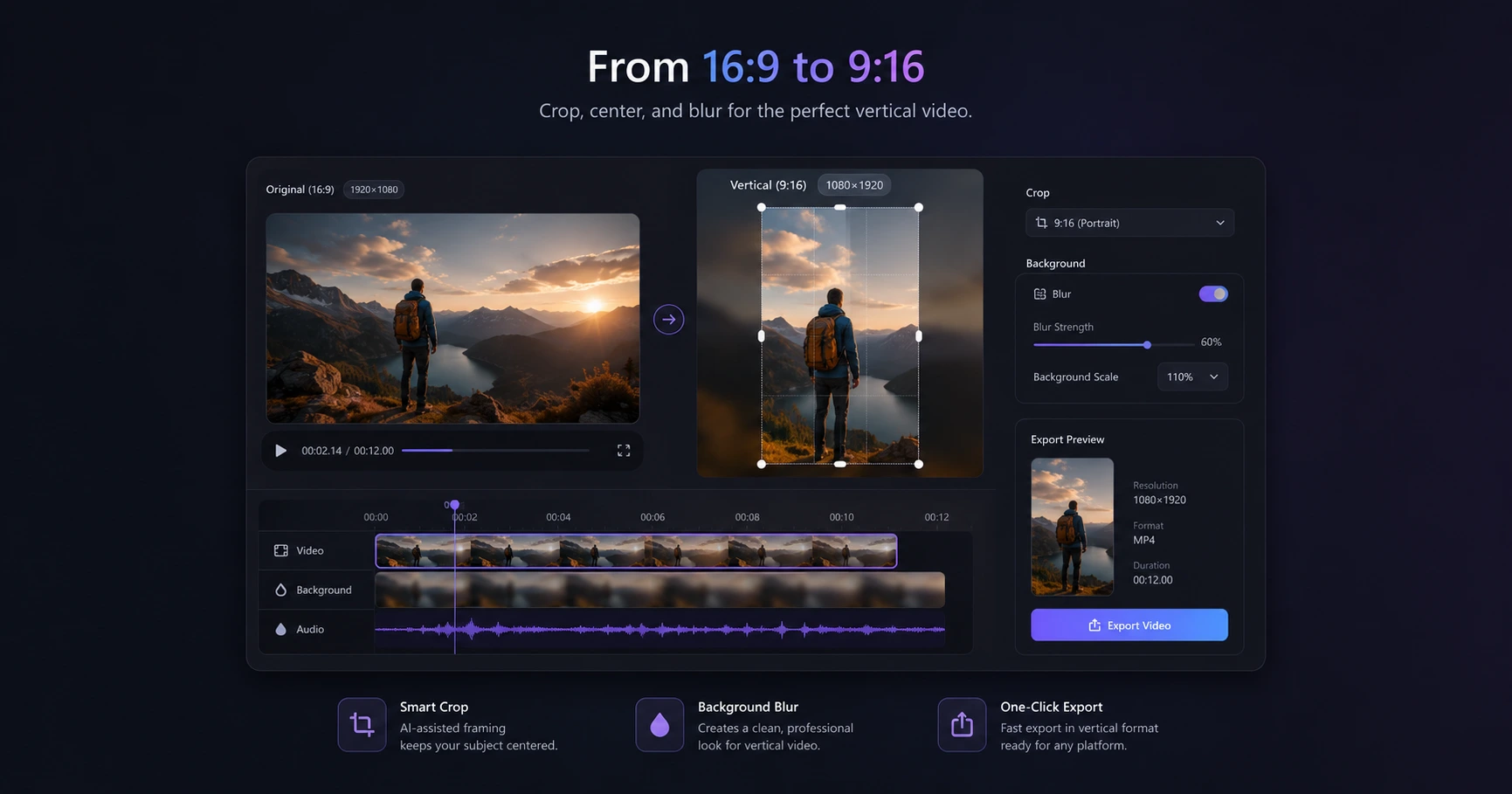
The dominance of platforms like TikTok, Instagram Reels, and YouTube Shorts has fundamentally changed how media is captured and consumed. The standard 16:9 landscape format, once the undisputed king of video content, now often feels out of place on mobile devices. Creators are increasingly tasked with transforming wide-angle, raw camera footage into immersive 9:16 vertical experiences.
However, simply cropping a landscape video can ruin the visual composition, cutting off essential subjects or leaving vast amounts of dead space. The challenge lies in adapting the aspect ratio intelligently so that the final clip feels native to the platform, engaging the viewer without appearing forced or poorly edited.
The Bottleneck of Traditional Formatting Workflows
For many creators, the process of standardizing clips is plagued by friction. Loading up a bulky, professional desktop editing suite simply to trim the edges of a video or change its dimensions is incredibly inefficient. It disrupts the creative flow and turns a minor task into a time-consuming chore.
On the other hand, turning to traditional web-based converters introduces a different set of problems. These services typically require users to upload massive raw files to remote servers, wait in digital queues, and then download the finished product. This workflow is painfully slow and often introduces a double-compression effect—once when the cloud editor renders the file, and again when the social platform compresses it for the feed. The result is a noticeable drop in visual fidelity.
Core Formatting Essentials
To maintain momentum, creators need a streamlined stack of utilities designed specifically for pre-timeline prep. A robust formatting workflow focuses on a few key actions:
- Aspect Ratio Reframing: Moving away from ugly black bars by using smart background blur fills to adapt landscape video perfectly for vertical feeds.
- Precision Cropping: Removing unwanted edges or framing mistakes while preserving the high-resolution quality of the original file.
- Cleaning the Frame: Instantly blurring out visual clutter, such as timestamps, distracting watermarks, or old logos from archival stock footage.
Speed and Privacy: The New Standard
The modern content creator values momentum and security above all else. Processing video files entirely on your physical device—directly within the browser—represents a massive leap forward. Because the raw footage never leaves your computer, there are zero upload or download wait times, allowing you to format clips instantly.
More importantly, this approach guarantees absolute privacy. Unreleased footage, exclusive interviews, or private behind-the-scenes clips are never exposed to third-party remote servers. By keeping file handling localized, creators can confidently prep their media, ensuring it remains secure and pristine before it ever hits the main editing timeline.
Explore the Video Formatting & Reframing Cluster
The Ultimate Guide to Video Formatting and Reframing for Creators
Formatting raw landscape video for vertical platforms requires adapting the aspect ratio without sacrificing visual quality or subject focus.

Format your videos instantly
Prep and standardize your clips before they hit the editing timeline. Reframe, crop, split, and compress your footage directly in your browser with absolute privacy and zero watermarks.
Related Questions
What is the best aspect ratio for social media videos?
The optimal aspect ratio for modern short-form social media, including TikTok, Instagram Reels, and YouTube Shorts, is 9:16. Using a dedicated browser-based formatting tool allows you to convert landscape footage to this vertical standard instantly, often utilizing smart background blur to prevent awkward cropping.
Does formatting a video reduce its quality?
Formatting a video can reduce quality if it is repeatedly compressed, a common issue when using cloud-based tools or relying on native social media editors. Processing your video directly on your device bypasses this secondary compression, maintaining the native resolution of your original footage from start to finish.